
What Is Epub Reader App

📖 Table of Contents
- What Exactly Is an EPUB Reader App?
- Why EPUB Reader Apps Are a Must-Have for Homeschooling
- How to Use an EPUB Reader App for Learning
- The Benefits of Using an EPUB Reader App
- How to Choose the Right EPUB Reader App
- The Future of EPUB Reader Apps in Education
- Tips for Making the Most of Your EPUB Reader App
- Make It Your Way
- Frequently Asked Questions
I remember the first time I opened an EPUB file on my tablet. It wasn’t just any file — it was a digital copy of a children’s story I had spent hours searching for. I had no idea it would become such a vital tool in my homeschooling journey. At first, I was confused by the term 'EPUB Reader App' — what was it, and why did I need it? It took me a few weeks of trial and error to understand that this app wasn’t just a tool for reading, but a gateway to a world of educational content. The more I explored, the more I realized how powerful and flexible EPUB Reader Apps could be, especially for homeschooling.[1]
As a homeschooling parent, I’ve learned that finding the right resources for my child is a constant challenge. I’ve tried everything from physical books to online platforms, but nothing quite compares to the convenience and adaptability of using an EPUB Reader App. These apps let me access a wide variety of educational materials in one place, from science textbooks to poetry collections. They’re not just for reading — they allow for highlighting, note-taking, and even text-to-speech features that make learning more engaging for my child.
What really sold me on EPUB Reader Apps was the way they helped my child stay focused and curious. The ability to customize font sizes, adjust background lighting, and even download content for offline use made learning feel more personal. I was amazed at how quickly my child adapted to using the app, and how much more invested she became in her reading. It wasn’t long before I realized that the right EPUB Reader App could be a game-changer in our homeschooling routine.
Why You'll Love This Educational Tool
- Access to a vast library of educational content in one place.
- Customizable reading experience that supports different learning styles.
- Interactive features like highlighting, note-taking, and text-to-speech.
- Convenience of using digital resources both online and offline.
What Exactly Is an EPUB Reader App?
As of October 2026, at its core, an EPUB Reader App is like a digital library that lets you access books in a format that’s easy to read on a variety of devices. EPUB stands for 'Electronic Publication,' and it's a standard format that’s widely used for e-books, especially in the educational sector. These apps support a range of features, from simple text viewing to more advanced tools like annotation and text-to-speech.
One of the things I love about these apps is how they make reading more interactive. You can highlight important parts of the text, take notes, and even look up definitions without leaving the page. This is especially helpful when you’re studying a complex subject and want to keep track of key points. The ability to adjust text size and background color also makes these apps more accessible for younger readers or those with visual impairments.
Another advantage of using an EPUB Reader App is that it makes accessing educational content more convenient. You can download books and read them anywhere, whether you're on a train, in the park, or during a quiet afternoon at home. This flexibility is a game-changer for homeschooling parents who want to make the most of every moment with their children.
Look for an app that has a clean, intuitive interface and offers basic features like highlighting and note-taking. These are the essentials for getting started with EPUB files.
Part of our Reading elementary guide.
Why EPUB Reader Apps Are a Must-Have for Homeschooling
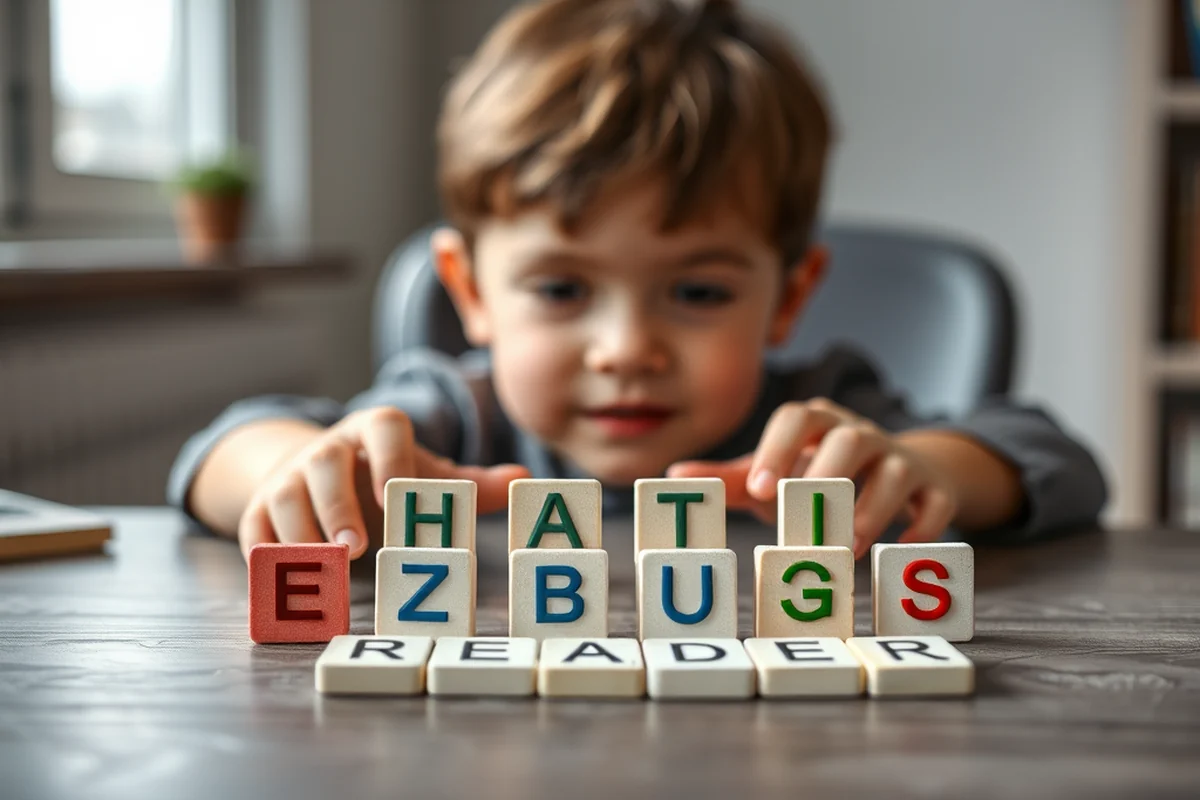
One of the biggest challenges of homeschooling is finding the right resources that match your child’s learning style and interests. EPUB Reader Apps solve this problem by offering access to a vast library of digital books, from science textbooks to poetry collections. This means you don’t have to spend hours searching for the right books — they’re all right at your fingertips.
Another benefit of these apps is that they allow for a more personalized learning experience. You can customize the font size, background color, and even enable text-to-speech features that make reading more accessible for children with different learning needs. This level of customization is especially helpful for homeschooling parents who want to tailor their child’s learning environment to their unique needs.
EPUB Reader Apps also make it easier to keep track of what your child is learning. You can highlight important sections, take notes, and even create digital flashcards within the app. This helps reinforce learning and makes it easier to review material later on.
EPUB Reader Apps are like having a personal tutor in your pocket.
Related: Reading elementary school
How to Use an EPUB Reader App for Learning
Getting started with an EPUB Reader App is simple. You can download the app from the Google Play Store or the Apple App Store, and then browse through a library of available books. Once you’ve selected a book, you can open it and begin reading immediately. The interface is usually clean and easy to navigate, making it perfect for both children and parents.
One of the best parts of using these apps is that they allow you to interact with the content in a way that’s not possible with traditional books. You can highlight important sections, take notes, and even create digital flashcards that help reinforce learning. This makes the reading experience more engaging and interactive, especially for younger readers.
Another useful feature is the ability to enable text-to-speech. This is especially helpful for children who are learning to read or for those who have difficulty processing text. With this feature, the app will read the text aloud, making it easier for children to follow along and understand the material.
Text-to-speech is a great feature to enable, especially for younger readers or those who are learning to read. It helps reinforce comprehension and makes the reading experience more accessible.
“I remember the first time I opened an EPUB file on my tablet.”— Teaching Reading to Homeschoolers editors
Related: Reading comprehension for grade 4
The Benefits of Using an EPUB Reader App

One of the biggest advantages of using an EPUB Reader App is the sheer amount of educational content available. Whether you're looking for science textbooks, history books, or poetry collections, you can find it all in one place. This makes it easier for homeschooling parents to find the right resources for their children without having to search through multiple websites or physical books.
Another benefit is the ability to customize the reading experience. You can adjust the font size, change the background color, and even enable features like highlighting and note-taking. This helps create a more personalized learning environment that supports different learning styles and needs.
EPUB Reader Apps also offer interactive features that make learning more engaging. From text-to-speech to digital flashcards, these tools help reinforce learning and make the reading experience more interactive. This is especially helpful for children who are just beginning to read or who need extra support in their learning journey.
Related: Really great reading
How to Choose the Right EPUB Reader App
With so many EPUB Reader Apps available, it can be difficult to know which one to choose. The key is to find an app that offers a clean, intuitive interface and includes features that support your child’s learning needs. Look for apps that allow you to highlight important sections, take notes, and even enable text-to-speech features.
Another important factor to consider is the range of educational content available. Some apps may offer a limited selection of books, while others provide access to a vast library of resources. This is especially important for homeschooling parents who want to ensure their child has access to a wide variety of learning materials.
Finally, consider the cost of the app. While some apps are free, others may require a subscription or one-time purchase. It’s important to choose an app that offers the features and content your child needs, while also staying within your budget.
Related: What is reading in high school
The Future of EPUB Reader Apps in Education
The future of EPUB Reader Apps looks bright, with continued advancements in technology making these apps even more powerful and versatile. We can expect to see more interactive features, such as embedded quizzes, virtual simulations, and AI-driven learning tools that adapt to each student’s progress.
Another exciting development is the growing use of EPUB Reader Apps in classrooms and schools. These apps are already being used to support remote learning, and as more schools adopt digital learning tools, we can expect to see even greater integration of EPUB Reader Apps into the educational system.
For homeschooling parents, this means even more opportunities to use these apps for personalized learning. With the right app, your child can access a wide range of educational content, from science textbooks to poetry collections, all in one place. This makes learning more efficient, engaging, and accessible for every child.
The future of learning is digital, and EPUB Reader Apps are leading the way.
Related: Reading comprehension for grade 6
Tips for Making the Most of Your EPUB Reader App
Consistency is key when using an EPUB Reader App. Set aside time each day for your child to use the app, whether it’s during a morning reading session or before bedtime. This helps build a routine and makes learning a regular part of their day.
Exploring the app’s features is another important tip. Take some time to learn about all the tools available, such as highlighting, note-taking, and text-to-speech. These features can greatly enhance the learning experience and make reading more engaging for your child.
Finally, don’t be afraid to customize the app to suit your child’s needs. Adjust the font size, background color, and other settings to create a reading environment that’s comfortable and easy to use. This helps your child stay focused and makes learning more enjoyable.
📚 Younger Kids Version
A simplified version of the EPUB Reader App with large font size, color-coded sections, and interactive illustrations to engage younger learners.
🎓 Older Kids Version
An advanced version of the EPUB Reader App that includes features like embedded quizzes, research tools, and access to more complex educational content.[2]
⏰ No-Prep Version
A version of the EPUB Reader App that requires no setup or installation — simply download and start reading immediately.
👥 Group Learning Version
A collaborative version of the EPUB Reader App that allows multiple users to access the same book and take notes together.
🔍 Extension Version
An extended version of the EPUB Reader App that includes features like vocabulary lookup, grammar tools, and cross-referencing with other educational resources.
| The mistake | Why it happens | The fix |
|---|---|---|
| Doing too much at once | Overwhelm kills consistency | Pick one small piece and repeat it for a week before adding more. |
| Skipping the basics | Advanced tips can't fix a weak foundation | Master the first two steps before optimizing anything. |
What Is Epub Reader App
Common Questions
Can I use an EPUB Reader App on my tablet or smartphone?
How do I download an EPUB file?
Can I use an EPUB Reader App offline?
Are EPUB Reader Apps free?
References
- Smartphone apps for improving medication adherence in hypertension (pmc.ncbi.nlm.nih.gov)
- Medical Insurance A Revenue Cycle Process Approach Epub ... (training.jacksonms.gov)
Cite this guide
Teaching Reading to Homeschoolers (2026). What Is Epub Reader App. https://homeschoolread.com/what-is-epub-reader-app/
Feel free to cite or share this guide.
Reading Skills Checklist
Stage-filtered phonics and reading skills checklist for homeschool parents.
Open it free →